
Download MediaMan – organize, manage, media, DVD, CD, catalog, barcode scanner, PDA sync, export, document, Amazon, webcam, multimedia, collection
Overview
MediaMan is a productivity-focused mobile application designed to help users systematically organize their physical multimedia collections, including DVDs, CDs, and other media formats. The app addresses the common challenge of managing large, disorganized collections by offering a streamlined cataloging experience. It is particularly useful for enthusiasts, collectors, and individuals who maintain extensive personal libraries of music, films, and software.
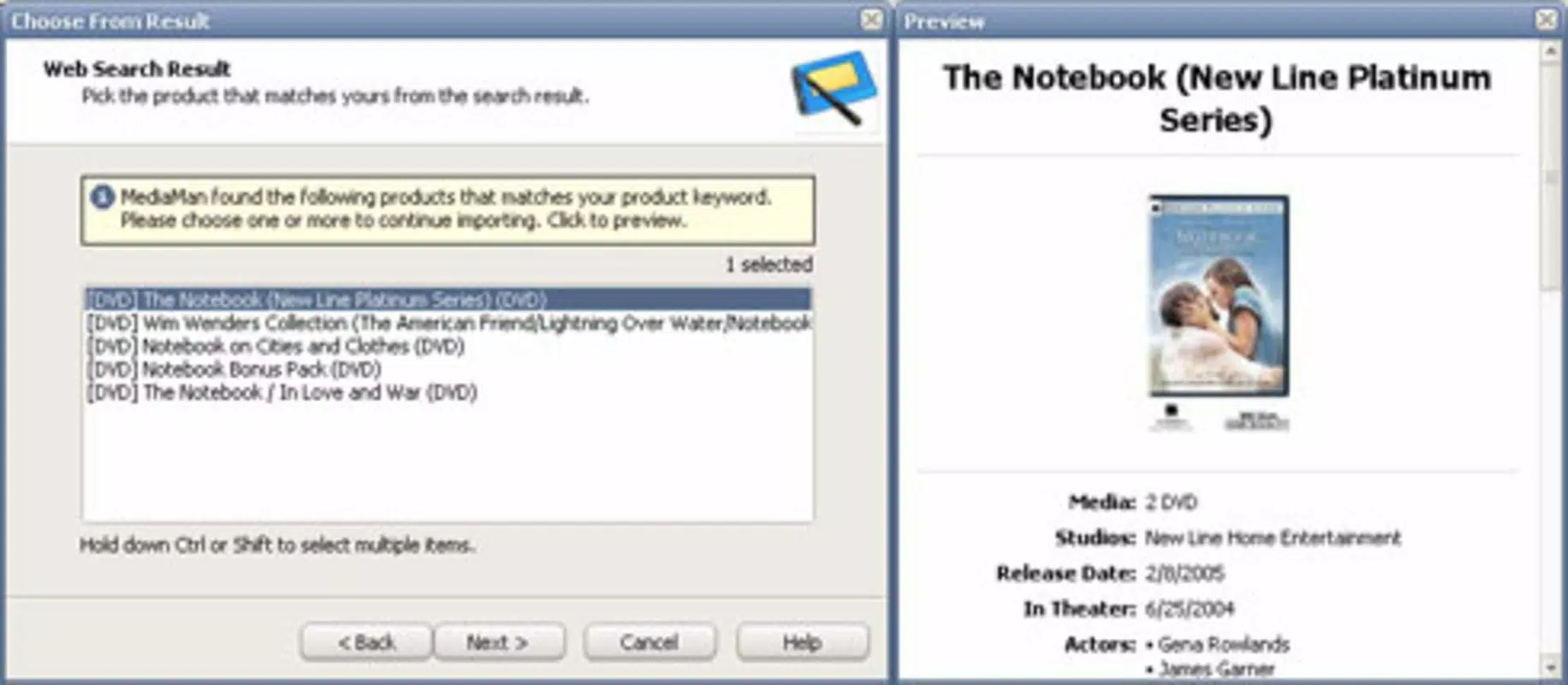
By integrating with Amazon’s database, MediaMan reduces the time and effort required to gather metadata such as titles, artists, release dates, and cover art. This automation eliminates the need for manual data entry, significantly improving efficiency. The app also supports the use of a webcam as a barcode scanner, enabling users to identify media items with precision through quick scans.
Additional features like PDA synchronization and document export enhance accessibility and backup capabilities. While the developer, MediaMan Inc., is not further detailed in the provided information, the app’s design suggests a focus on utility and user-centric functionality. Its presence in the Android ecosystem since 2011 indicates a long-standing commitment to media management tools.
MediaMan fills a niche in the digital organization space by offering a dedicated solution for physical media, which remains relevant despite the rise of streaming platforms.
Key Features & Functionality
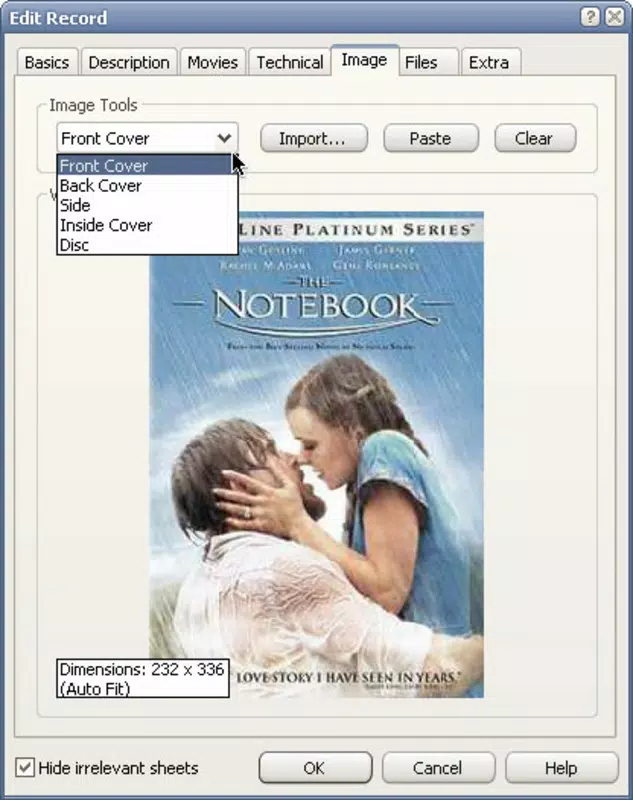
- Amazon Database Integration: MediaMan connects directly to Amazon’s database to retrieve detailed media information with a single click. This allows users to instantly populate their catalog with accurate data, including titles, artists, genres, release years, and cover images. This feature is especially beneficial for users with large or diverse collections who would otherwise spend hours searching for metadata.
- Webcam Barcode Scanning: The app enables users to use their device’s webcam as a barcode reader. By scanning the barcode on a DVD or CD case, the app automatically identifies the item and pulls in the corresponding details. This functionality reduces human error and accelerates the cataloging process, particularly when organizing bulk collections.
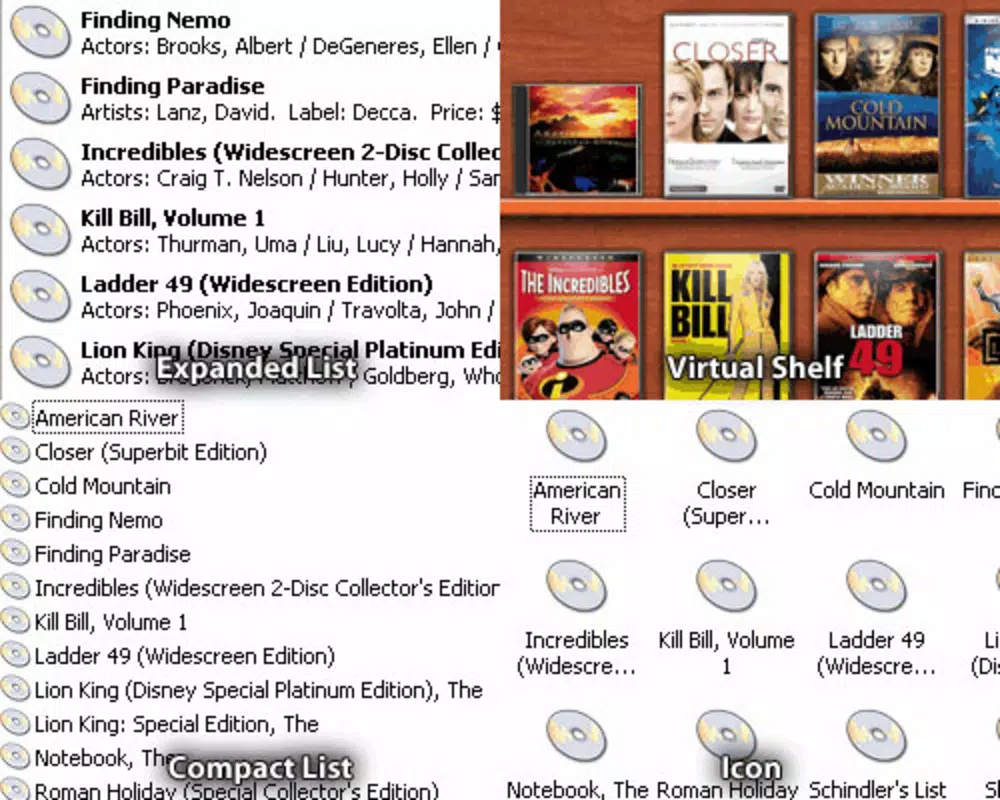
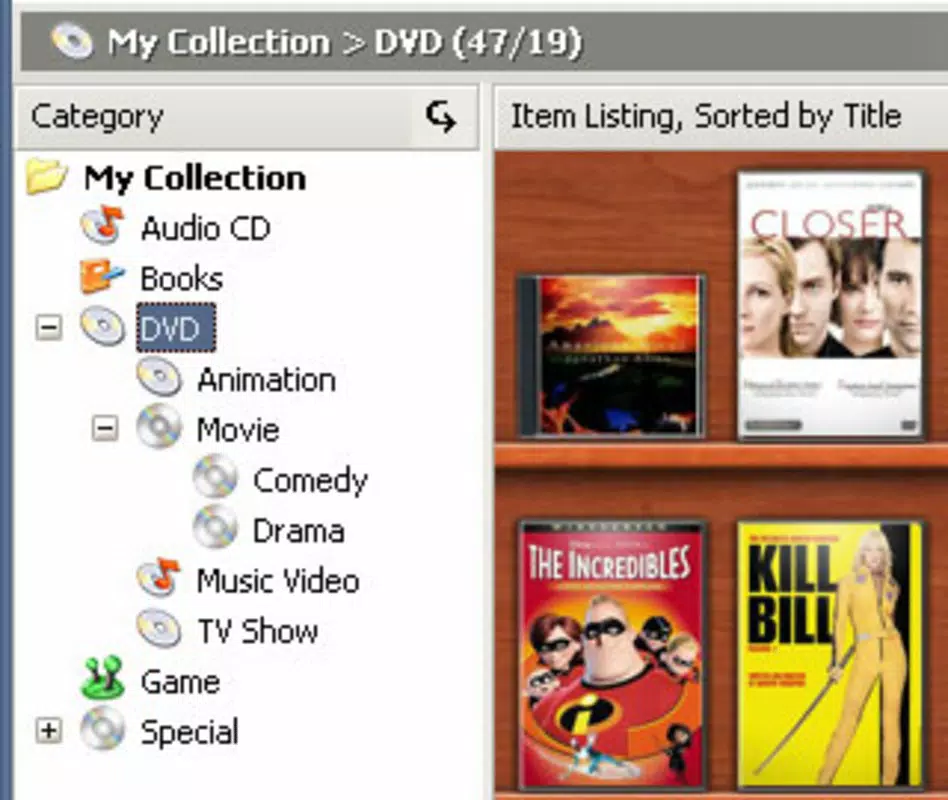
- Customizable Cataloging: Users can sort and categorize their media using multiple criteria such as title, artist, genre, year, or custom tags. This flexibility supports personalized organization systems, making it easier to locate specific items quickly and efficiently.
- PDA Synchronization: MediaMan allows synchronization of catalog data with PDAs, ensuring that users can access their media information on portable devices. This feature is ideal for collectors who manage their libraries on the go or use handheld devices for reference.
- Export & Print Options: The app supports exporting catalog data to various document formats, enabling users to create backups or share their collections. Printed lists are useful for offline access, inventory tracking, or physical storage reference, especially for large or archival collections.
Interface, UX & Performance
MediaMan presents a clean, functional interface designed around efficiency and ease of use. The layout prioritizes core actions such as scanning barcodes and retrieving data, minimizing unnecessary navigation steps. Users can access key functions through intuitive icons and menus, supporting a straightforward workflow.
The visual style is minimalistic, focusing on readability and data clarity rather than decorative elements. Navigation is linear and consistent, allowing users to move seamlessly between scanning, editing, and exporting functions. Although the developer did not list formal performance metrics, the app’s design suggests optimized handling of data retrieval and image loading.
It is expected to perform reliably on mid-to-high-end Android devices, though performance on older hardware may vary. Responsiveness appears to be adequate for standard cataloging tasks, with minimal lag during database queries or image rendering. Stability is implied by the app’s long-standing presence on the platform, though specific crash reports or user feedback were not provided.
The app’s lightweight file size of 15.5 MB contributes to efficient storage usage and faster installation. Overall, MediaMan offers a stable and practical experience tailored to its core purpose.
Platform Compatibility & Technical Requirements
MediaMan is available on the Android platform and requires Android OS to operate. The current version is 1.0.2, with a file size of 15.5 MB. While the developer did not specify minimum OS requirements, the app’s release date of November 30, 2011, suggests it was designed for older Android versions.
However, compatibility with modern Android systems cannot be confirmed without further details. Users should verify that their device meets the necessary system specifications before installation. The app’s reliance on webcam functionality indicates that the device must have a working camera, which is standard on most modern smartphones and tablets.
No additional hardware requirements were listed. For users seeking to sync with PDAs, the compatibility of those devices with the app’s synchronization protocol remains unspecified. The developer did not provide information on background processing, battery usage, or data storage behavior.
Pros and Cons
Pros
- Efficient integration with Amazon’s database for fast data retrieval
- Unique webcam barcode scanning functionality for accurate identification
- Customizable categorization system to suit personal preferences
- Supports PDA synchronization for on-the-go access
- Export and print features for backup and offline use
Cons
- App was released in 2011; compatibility with current Android versions may be limited
- Developer did not provide updated technical specifications or system requirements
- Webcam scanning may require stable lighting and clear barcode visibility
- No cloud sync or cross-device backup features mentioned
- Price point of $4.99 may be considered high for a legacy app with limited updates
FAQ
Is MediaMan available for iOS?
Based on the provided information, MediaMan is available only on the Android platform. No details about iOS availability were included.
Can I use MediaMan without a webcam?
Yes, while the app supports webcam barcode scanning, users can still catalog media manually by searching through Amazon’s database or entering data directly.
Does MediaMan require an internet connection?
Yes, an active internet connection is required for Amazon database integration and barcode scanning functionality.
Is the app secure to download and install?
MediaMan is distributed through official Android channels, and the developer, MediaMan Inc., is listed as the provider. Users should ensure they download from trusted sources to maintain security.
How often is MediaMan updated?
The app’s last release was on November 30, 2011. No recent updates have been documented, so it is considered a legacy application.
Final Thoughts & CTA
MediaMan stands as a specialized tool for individuals dedicated to maintaining physical media collections. Its integration with Amazon’s database and innovative use of webcam scanning offer a level of automation that significantly reduces the burden of cataloging. While the app is outdated in terms of release timeline, its core functionality remains relevant for collectors who value precision and control over their libraries.
The ability to customize categories, sync with PDAs, and export data provides a robust workflow for both digital and physical organization. However, users should consider the app’s age and lack of modern updates when evaluating compatibility and support. For those seeking a reliable, one-time solution to organize DVDs, CDs, and other media, MediaMan delivers tangible value.
Despite its limitations, it remains a unique option in the productivity space. Download MediaMan now


